AI coding agents forget. cc-anywhere remembers.
Save and search your AI chat sessions.
A free local memory layer for Claude Code, Codex, and Gemini CLI. Every conversation with your AI captured and searchable forever — your conversations, not your code.
Install — three lines
$ pip install cc-anywhere
$ cc-anywhere --init                    # captures existing sessions, wires hooks
$ cc-anywhere --ask "what was I doing?"
Prefer pipx, or pip blocked by externally-managed-environment (common with Homebrew Python)? pipx install cc-anywhere works the same.
Have your agent install + set it up
Paste the matching prompt to your coding agent — it installs cc-anywhere and wires itself up for you.
Full set-up — Claude Code, Codex, Gemini CLI:
cc-anywhere is an open-source local CLI (github.com/abecouse/cc-anywhere) that makes your past coding sessions searchable. Install it:pip install cc-anywhere && cc-anywhere --init. Optionally, add a line to your instructions file (CLAUDE.md / AGENTS.md / rules) so your agent knows it's there — e.g.: "You can use cc-anywhere to recall past context: runcc-anywhere --askwhen it'd help, orcc-anywhere --readto catch up; quote anything relevant with its chunk_id." Adjust to taste.
Where it helps
Why did we do it this way?
Weeks later, the reasoning's gone — compaction, a closed window, a stale doc. cc-anywhere --ask brings back the decision and the chain of thought your files never kept.
Switching tools
Claude Code, Codex, and Gemini CLI don't share memory — cc-anywhere does. Share context and decisions across every tool, instead of re-explaining each time.
Two ways to use it
Recall a past decision — right inside a coding session, or straight from your terminal.
In a coding session — your AI agent
You: why did we rule out session tokens?

Claude: Let me check our past sessions.
       $ cc-anywhere --ask "session tokens"
       Found it — legal killed session-token
       storage (claw-text-bridge, Apr 12). You
       chose OAuth via PKCE. Want me to follow that here?
Use it right in your coding sessions: your agent knows cc-anywhere as a search-and-recall tool, so it looks things up on its own — or you ask it to. Either way it pulls the context and answers. No MCP, no plugin.
Directly, by you
$ cc-anywhere --ask "the auth decision"

I found these likely relevant coding conversations (last 30 days):

1. claw-text-bridge (2026-04-12 09:17 PDT, score 0.31)
   ...should we use OAuth or sessions? legal flagged
   session-token storage, so we went OAuth via PKCE...
   → cc-anywhere --view 8b15964e:14:0057da4a1fe2
Run it yourself — one command searches every past session locally and returns ranked matches, each with a chunk ID. No model, no API key.
Reads from Claude Code, Codex, Gemini CLI, and more — one shared memory. Anything with terminal access can use cc-anywhere.
See it
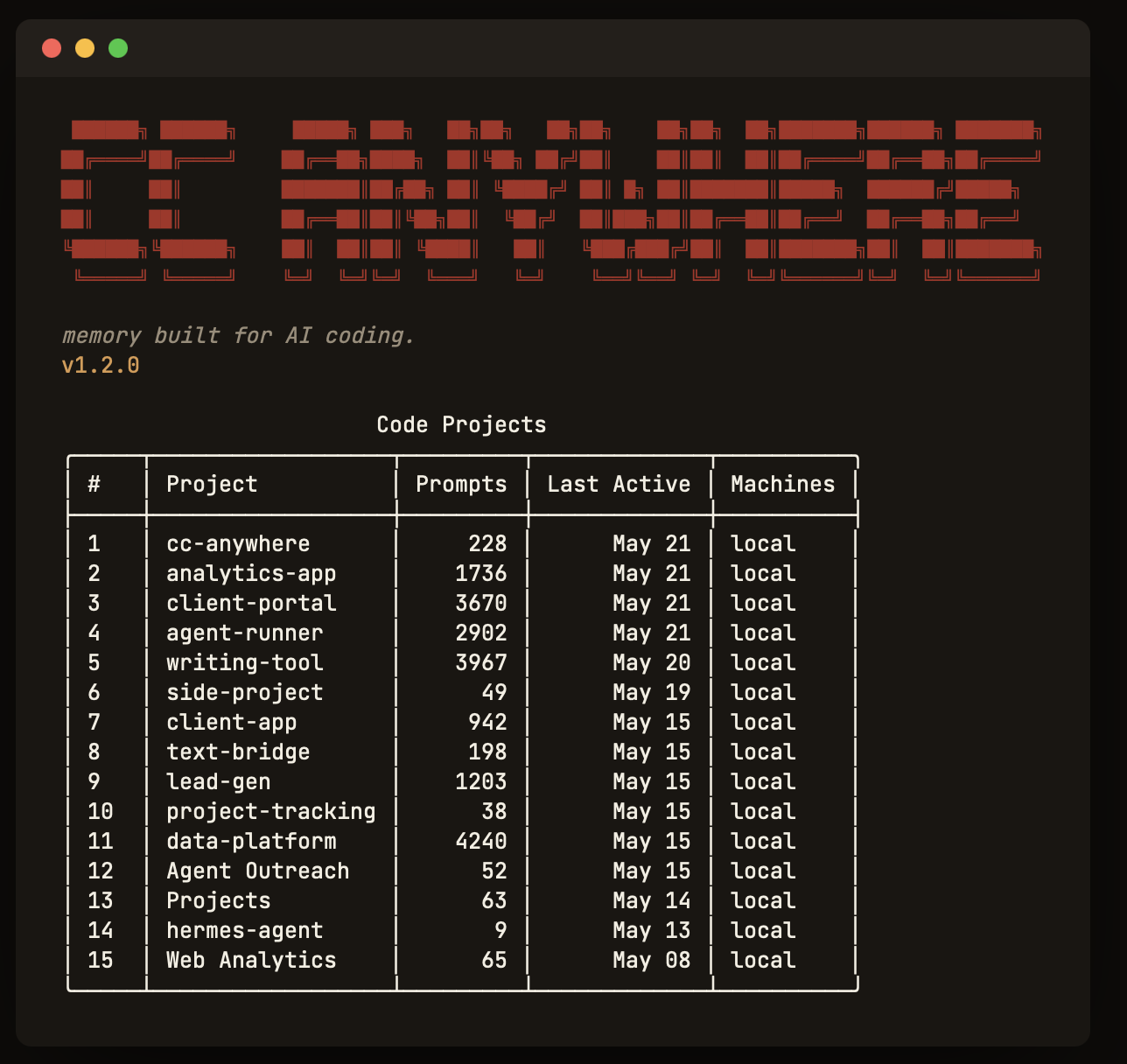
Every captured session, by project — one glance.
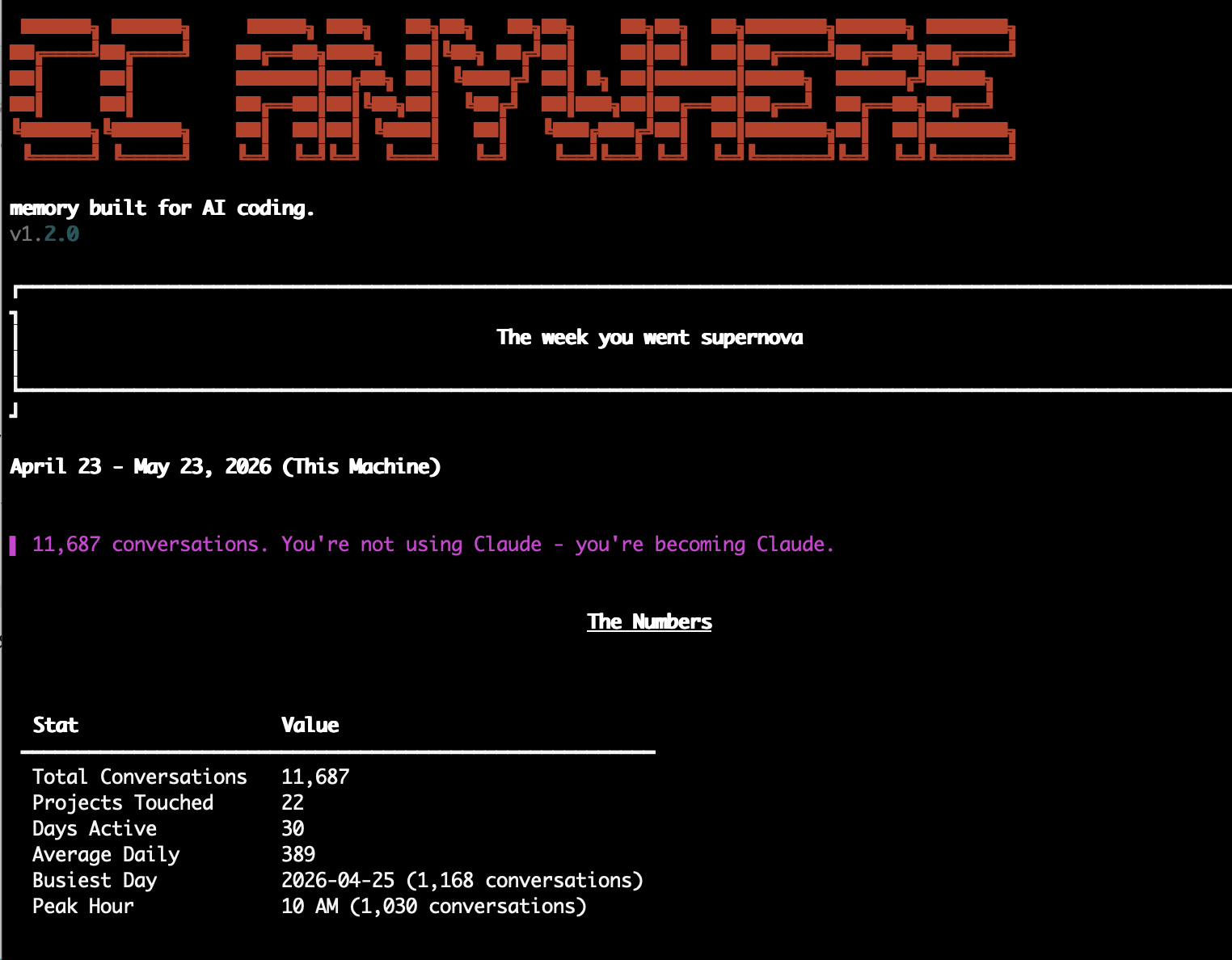
A digest of what you actually worked on — daily, weekly, monthly.
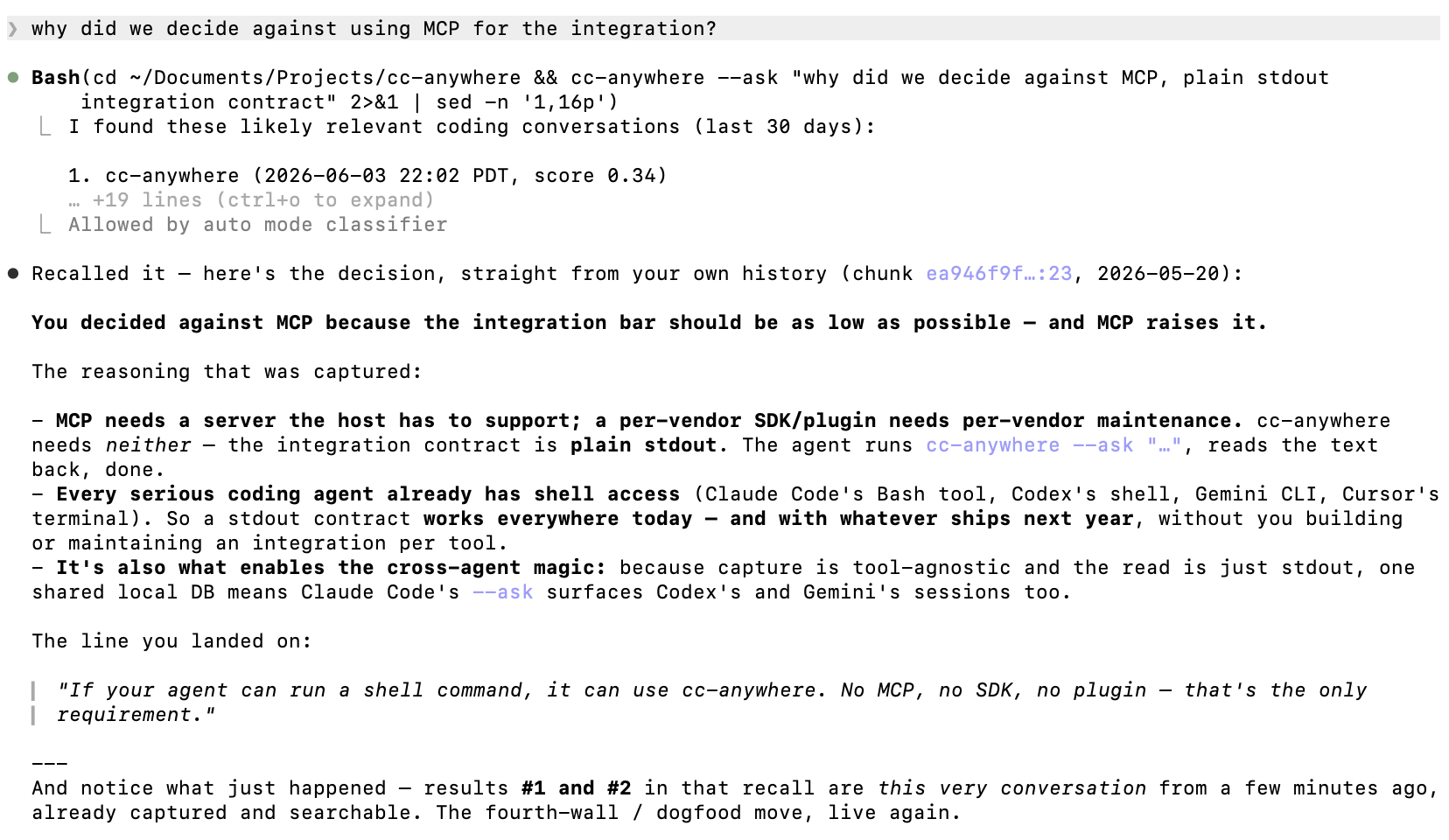
Your agent recalls a past decision mid-session — on its own.
What it supports
Full memory — capture and recall
Local agents, on your machine: Claude Code (CLI + Desktop) · Codex (CLI + Desktop) · Gemini CLI · Cursor · Aider · any agent that can run a command locally
Capture only
Sandboxed agents: Claude Cowork runs in its own sandboxed VM — cc-anywhere captures its sessions (stored on your machine) and keeps them searchable, but the sandbox can't call cc-anywhere back during a session.
Use a different agent? Request capture support →
No reason not to
pip uninstall)